
How to Create Professional Headshots with AI: The Studio-Quality Guide
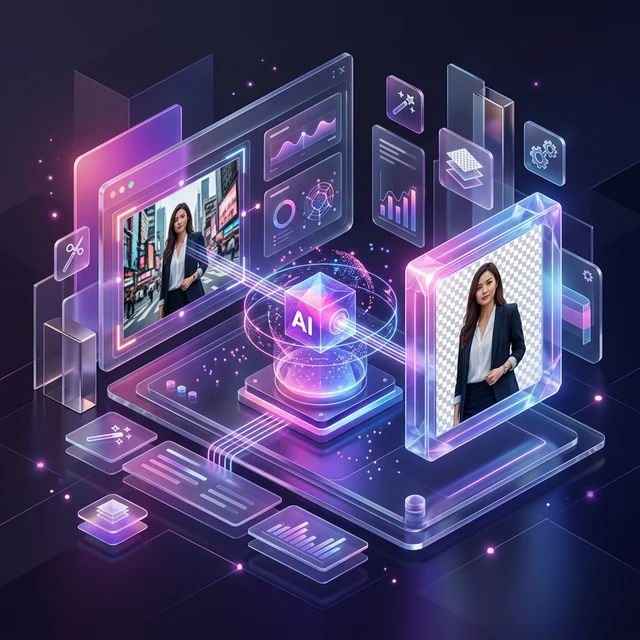
We’ve all been there: you need a sharp LinkedIn photo, but a professional studio session costs $500 and takes weeks. In 2026, your smartphone and the AFFLIGO Precision AI Engine are all you need to bridge that gap. This isn't about "faking" a photo; it's about using semantic matting and lighting physics to get that executive look from your living room. Did you know? LinkedIn profiles with professional headshots receive 21x more views and 14x more connection requests. It’s time to stop settling for selfies.
Professional AI Portrait Workflow
Capture
Natural Lighting
AI Masking
Clean Extraction
Backdrop
Neutral Textures
Polish
Final Export
Table of Contents
- The Science: AI & Semantic Matting
- Posing Secrets: The 'Squinch' Hack
- Lighting Theory: Rembrandt Lighting DIY
- Step-by-Step AI Creation Process
- Wardrobe Strategy & Color Psychology
- Smartphone Hacks: Avoiding Distortion
- Industry Standards: Corporate vs. Creative
- Troubleshooting Common AI Issues
- Expert FAQ
The Science: AI & Semantic Matting
Professional headshots in 2026 rely on Semantic Matting. Unlike older tools that just "erase" colors, our AI understands human anatomy. It can differentiate between individual hair strands and the wall behind them. This is crucial because it avoids the "jagged" look, allowing you to place your headshot on a professional Studio Grey or Navy backdrop without it looking "Photoshopped."
Posing Secrets: The 'Squinch' Hack
The "deer in headlights" look is the #1 killer of headshots. The Solution: Slightly tighten your lower eyelids—a trick called "The Squinch." This projects confidence and focus instead of fear. Also, never face the camera flat-on. Angle your shoulders 45 degrees away while keeping your face toward the lens for a more dynamic and professional posture.
Lighting Theory: Rembrandt Lighting DIY
You don't need expensive strobes. Use a window. Position yourself at a 45-degree angle to a large window. This creates Rembrandt Lighting—characterized by a small triangle of light on your shaded cheek. This adds depth and authority to your face. Always ensure you have a "catchlight" (tiny white reflection) in your eyes to look engaged and alive.
Upgrade Your Professional Image
Transform your casual snaps into high-end executive portraits instantly with our AI engine.
Start Creating Headshots →Step-by-Step AI Creation Process
1. Capture: Use the Back Camera
Never use the selfie camera. Front lenses are wide-angle and distort facial features (making noses look larger). Use the back camera on 2x zoom and stand 6 feet away. This mimics a professional 85mm portrait lens, which is the gold standard for headshots.
2. AI Extraction
Upload your photo to the AFFLIGO AI Hub and select Professional Mode. The AI will analyze the texture of your hair and the edges of your clothes, creating a clean alpha mask that preserves every detail.
3. Backdrop Replacement
Once the background is clear, replace it with a solid neutral color or a high-end "Office Blur." This immediately signals to the viewer that this image belongs in a professional environment.
4. Quality Assurance
Check the edges. If you see any background color "bleed," use our refinement tools to slightly contract the mask. Export in PNG-24 format for the best color depth and clarity.
Wardrobe Strategy & Color Psychology
For LinkedIn, color matters. Navy Blue and Charcoal Grey project authority and trust. Avoid busy patterns like small checkers or thin stripes; these cause "Moiré" (a visual flickering effect) on digital screens. Solid, deep colors provide the best contrast for AI background removal, ensuring a sharper subject extraction.
Industry Standards: 2026 Comparison
| Industry | Lighting Style | Recommended Pose | Background Type |
|---|---|---|---|
| Law/Finance | Classic / Formal | Serious / Confident | Solid Grey or Navy |
| Tech/Startup | Natural / Soft | Warm / Approachable | Modern Office Blur |
| Creative | Moody / Artistic | Dynamic / Personal | Textured Dark Wall |
Troubleshooting Common AI Issues
- Blurry Hair Edges: This usually happens if you were too close to the background. Stand 3-4 feet away next time.
- Warped Features: You used the front (selfie) camera. Use the back lens with 2x zoom for proper proportions.
- Harsh Shadows: You were in direct sunlight. Move to the shade or use a thin white curtain over your window.
Expert FAQ: Professional AI Headshots
The Squinch is a trick used by models to avoid the "fear" look. Simply lift and tighten your lower eyelids slightly. This makes you look confident and intelligent. It takes practice, but it's the secret to every high-end executive portrait.
Selfie lenses are wide-angle. They are designed for scenery, not portraits. They cause focal distortion, which makes your face look wider and your nose look larger. Always use the back camera from a distance of at least 5 feet for natural proportions.
Yes, but for a 100% professional look, we recommend wearing your actual professional attire. AI cloth replacement can sometimes look "generated" or stiff. Using AI for background removal and lighting correction while keeping your real outfit is the best way to maintain authenticity.
Upgrade Your Career Today
Stop settling for mediocre profile photos. Experience the best AI Background Remover on AFFLIGO.
Try the Tool Now