
When to Use AI Image Upscaler: The 2026 Professional Framework
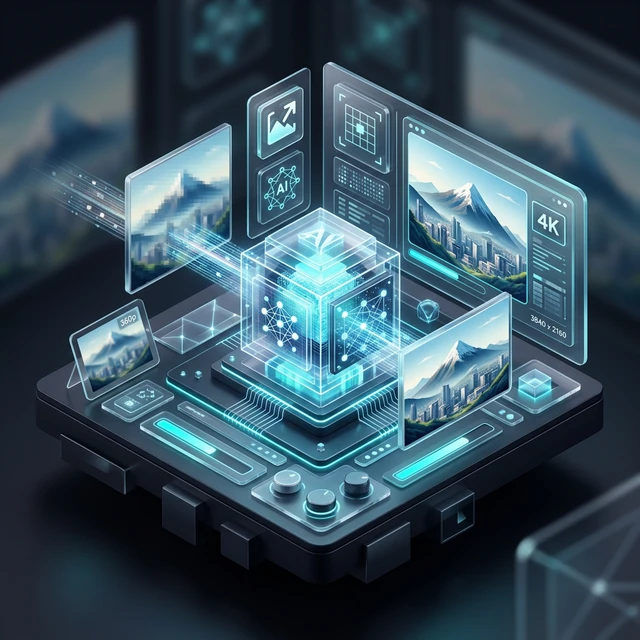
In 2026, high-definition is no longer a luxury—it's the baseline. Whether you're an e-commerce seller, a professional photographer, or a social media manager, understanding **when to use AI image upscaler** is the difference between a blurry amateur post and a professional-grade asset. Unlike traditional "enlarging" which just makes pixels bigger, AI upscaling uses **Generative Reconstruction** to "hallucinate" missing details back into the image. This guide provides a strategic decision framework to help you decide when AI is necessary, when it’s overkill, and how to get the highest ROI. Impact Stat: E-commerce listings using AI-upscaled product photos see an average of 15-20% higher click-through rates due to enhanced visual clarity.
2026 AI Upscaling Decision Matrix
Low PPI Source
Source is < 72 DPI and needs to be print-ready.
E-comm Detail
Fine textures (fabric, jewelry) are blurry at zoom.
Archival Scan
Old family photos with heavy grain/noise.
Strategic Table of Contents
- 1. Interpolation vs. AI Reconstruction: The Core Difference
- 2. Scenario: Reviving Low-Res Archival & Legacy Photos
- 3. Scenario: E-commerce Product Zoom Optimization
- 4. Scenario: Print Media & Large Format Preparation
- 5. Scenario: Maximizing Social Media Engagement PPI
- 6. Technical Logic: Understanding Pixel Density Requirements
- 7. The AFFLIGO 2026 Upscaling Decision Framework
- 8. Limitations: When AI Upscaling is the Wrong Choice
- 9. Batch Workflow: Managing Volume vs. Quality Tiers
- 10. Security: Local AI vs. Cloud Privacy Standards
- 11. Future Trends: Real-time 8K Browser Rendering
- 12. Expert FAQ
1. Interpolation vs. AI Reconstruction
In the past, "upscaling" meant **Interpolation** (like Bicubic or Lanczos), which simply averaged existing pixels to fill gaps. The result was always "soft" or blurry. In 2026, professional AI tools use **Generative Models (GANs)**. These models have "seen" millions of high-res textures. When you upscale a blurry photo of a brick wall, the AI doesn't just stretch the pixels; it draws new, sharp brick textures over the blurry ones. This is why knowing **when to use AI image upscaler** is essential—it’s not just a resize; it’s a restoration.
2. Scenario: Reviving Low-Res Archival & Legacy Photos
If you have vintage family photos or screenshots from the early 2000s, standard enlargement will reveal heavy compression artifacts. AI upscaling is mandatory here. The algorithms can distinguish between "original detail" and "JPEG noise," stripping away the artifacts while reconstructing facial features and skin textures. This makes old 480p photos usable on modern 4K displays or high-quality canvas prints.
3. Scenario: E-commerce Product Zoom Optimization
Modern marketplaces like Amazon and Shopify require high-resolution images to enable the "Hover-to-Zoom" feature. If your source photo is too small, the zoom will look pixelated, costing you sales. Using our **Precision AI Upscaler** allows you to take a standard product shot and 4X the resolution, ensuring that fine details like fabric weave, watch dials, or jewelry facets remain razor-sharp under close inspection.
Stop Settling for Blurry Assets
Turn low-res images into high-definition masterpieces using the AFFLIGO Professional AI Engine.
Upscale Your Image Now →4. Scenario: Print Media & Large Format Preparation
Print requires **300 DPI (Dots Per Inch)** for a professional look. Most web images are only 72 DPI. If you try to print a web image on a poster, it will look like a Lego set. **The Pro Strategy:** Use AI upscaling to increase the total pixel count before sending it to the printer. This ensures the printer has enough data to create smooth gradients and sharp lines, preventing the "staircase effect" on edges.
The 2026 AI Upscaling Stack
Neural Denoising
Strips away ISO grain and JPEG artifacts before upscaling.
Generative Infilling
Creates new pixels based on high-res texture patterns.
Edge Refinement
Sharpens boundaries between subjects and backgrounds.
8. Limitations: When AI Upscaling is the Wrong Choice
AI upscaling isn't a magic wand. It shouldn't be used when:
- Extreme Blurring: If the source is "Out of Focus" (optical blur), AI cannot magically find the sharp focus points.
- Creative Integrity: If you are a fine-art photographer and want to maintain the "Natural Grain" of film, AI may over-smooth the image, destroying the artistic intent.
- Identification Docs: Never upscale low-res IDs or evidence for legal purposes, as the "generative" nature of AI adds pixels that weren't there originally.
10. Security: Local AI vs. Cloud Privacy Standards
In 2026, privacy is paramount. Most upscalers require you to upload your sensitive photos to a server. **The AFFLIGO Advantage:** Our tool is built for **Client-Side Privacy**. The AI logic is downloaded to your browser and processed using your local hardware. Your private family photos or unreleased product designs never leave your computer—making it the safest standard for corporate and personal workflows.
Expert FAQ: When to Upscale with AI
No. While AI is powerful, it needs a "Base Texture" to work with. Upscaling a tiny icon to 4K will result in "Painterly" artifacts where the AI tries to guess too much. For best results, your source should be at least 25% of your target resolution.
Yes, for most "Natural" photos. Photoshop's built-in tools are great for general use, but dedicated **Generative Upscalers** (like AFFLIGO's engine) are specialized in texture infilling, often producing more realistic skin, hair, and fabric details than general-purpose editors.
Yes. A 4X upscale increases the total pixel count by 16 times. This means a 1MB file can easily become 15-20MB. For web use, always run your upscaled image through a **Web-Optimization** tool (like converting to WebP) before publishing.
Technically, no. It is a "Best Guess" based on neural network training. While it looks 100% realistic to the human eye, it is generating synthetic pixels. This is why it should not be used for scientific or legal forensics.
Ready to Experience the V3 Upscaler?
Zero uploads. 100% Private. Professional results. Experience the fastest browser-based upscaler on AFFLIGO.
Try the Tool Now