
When to Use AI Image Upscaler: The 2026 Professional Framework
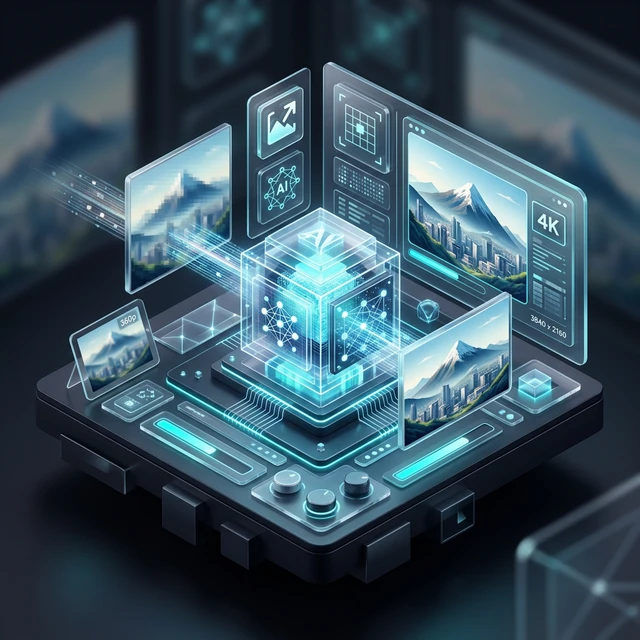
High-definition isn't a luxury anymore; it's the standard. In 2026, understanding **when to use AI image upscaler** is a critical skill for e-commerce sellers, photographers, and archival experts alike. Traditional resizing just stretches pixels, leading to blur and blocky artifacts. Professional AI upscaling, however, uses **Generative Reconstruction** to "hallucinate" missing details back into the frame. This guide provides a clinical framework to help you decide when AI is mandatory, when it's optional, and how to maximize your ROI. Impact Stat: High-resolution product images can increase e-commerce conversion rates by up to 15% simply by allowing customers to inspect fine textures clearly.
2026 Upscaling Decision Matrix
Print Media
Targeting 300 DPI from 72 DPI web sources.
E-comm Detail
Enabling "Hover-to-Zoom" for fine textures.
Archival Legacy
Reviving grainy family photos or old screenshots.
Table of Contents
- 1. Resizing vs. AI Reconstruction: The Science
- 2. When to Use AI for Print-Ready Media (300 DPI)
- 3. E-commerce: Optimizing for High-Resolution Zoom
- 4. Reviving Legacy & Archival Visual Assets
- 5. The Role of Neural Denoising in Upscaling
- 6. When AI Fails: Handling Out-of-Focus Blur
- 7. Managing "Hallucination" & Generative Artifacts
- 8. Batch Workflow: Efficiency for Large Inventories
- 9. Privacy Standards: Local Browser-side AI Benefits
- 10. Measuring the ROI of Visual Clarity
- 11. Future Horizon: Real-time 8K Browser Rendering
- 12. Expert FAQ & Implementation
1. Resizing vs. AI Reconstruction: The Science
Traditional software uses **Interpolation** (like Bicubic). It looks at existing pixels and averages them to create new ones, which always results in a "soft" or blurry look. In 2026, our **AI V3 Engine** uses Generative Adversarial Networks (GANs). The AI has been trained on millions of high-res textures. When it upscales a photo of skin or fabric, it doesn't just stretch the pixels—it actually "draws" sharp pores and threads back into the gaps, creating a high-frequency detail that wasn't there originally.
2. When to Use AI for Print-Ready Media
A common professional challenge is taking a 72 PPI (pixels per inch) web image and making it look sharp on a 300 DPI physical print. If you simply enlarge the photo, the "staircase effect" or pixelation will be obvious. AI upscaling is the only way to synthesize the necessary pixel density to satisfy professional printing standards, especially for large format banners or posters.
3. E-commerce: Optimizing for High-Resolution Zoom
Conversion rates on Amazon and Shopify are directly linked to the "Zoom" experience. If a customer hovers over your product and sees a blurry mess, trust is lost. Use AI upscaling to 4X the resolution of standard lifestyle shots. This ensures that the fine facets of jewelry or the weave of high-end clothing remain crisp, giving the customer the confidence to click "Buy."
Experience 4K Detail Instantly
Stop settling for low-res assets. Upgrade your images using the fastest browser-based AI engine on AFFLIGO.
Upscale Your Image Now →4. Reviving Legacy & Archival Visual Assets
Archival work often involves grainy, low-resolution scans. The **Precision AI Engine** excels at distinguishing between original texture and "digital noise." By applying a neural denoising pass before the upscale, we can revive family history or old corporate archives, making them usable for modern 4K digital displays without losing the authentic soul of the photo.
The 2026 AI Upscaling Pipeline
Neural Denoise
Strips away ISO grain and JPEG compression noise.
Generative Infill
Reconstructs high-frequency details (hair, skin, fabric).
Edge Refinement
Sharpens boundaries between subject and background.
6. When AI Fails: Handling Out-of-Focus Blur
It is a professional standard to know AI's limits. AI can fix Pixelation (low resolution), but it cannot magically fix Optical Blur (out of focus). If the lens was blurry during the shot, the AI will simply create a high-resolution version of a blurry image. For best results, ensure your source is in focus, even if the pixel count is low.
9. Privacy Standards: Local Browser-side AI Benefits
In 2026, privacy is a competitive advantage. Most upscalers require you to upload private photos to their servers. **AFFLIGO's Zero-Knowledge Architecture** is different. Our AI models are downloaded to your browser and processed locally using your GPU/CPU. Your images never leave your device. This makes it the safest choice for corporate projects, sensitive product launches, or private family photos.
Expert FAQ: Strategic AI Image Upscaling
AI upscaling is necessary when your source image resolution is less than 50% of your required display or print dimensions. It is also critical when dealing with "noisy" or "compressed" JPEG files, as AI can distinguish between original detail and ugly digital artifacts better than any manual tool.
No. AI upscaling fixes pixelation (low resolution), not optical blur. If your camera was out of focus, the AI will just create a very high-resolution blurry image. For a successful upscale, the source photo must be sharp and in focus, even if it is small.
Technically, no. Generative AI "hallucinates" or synthesizes new pixels that weren't there originally. While it looks 100% realistic to the human eye, it is technically synthetic data. For scientific or legal forensics, traditional non-generative methods are preferred to maintain evidence integrity.
Browser-based or "Client-side" AI means the computation happens on your hardware. The image is processed in your computer's RAM and is never sent to a cloud server. This eliminates the risk of data leaks and ensures your private assets stay strictly on your machine.
Ready for Pro-Grade Visuals?
Join 10,000+ professionals using AFFLIGO for high-fidelity image enhancement. No sign-up. 100% Private.
Try the Upscaler Now