- Over 350 Unicode styles: Bold, Italic, Script, old English Fraktur, Monospace, Fullwidth, and more
- 7 categories: All, Bold & Italic, Symbols, WhatsApp, Instagram, Zalgo, plus Gaming (leet, flip/mirror, spaced, viral styles)
- 100% client-side processing — no text ever leaves your browser
- Copy and paste individual styles, or copy all 350+ styles at once
- Dedicated categories for Instagram bios, WhatsApp messages, and gaming names
- Works on all modern browsers and mobile devices
Every social media profile you create with plain text is a missed opportunity. Fancy text transforms ordinary names, bios, and messages into visually striking Unicode characters that grab attention, express personality, and make your online presence unforgettable.
The problem is that most people think fancy text requires installing special fonts or learning complex design tools. They see someone with a stylish Instagram bio and assume it is a premium feature or a hacked app. In reality, generating fancy text is as simple as typing your name and clicking a button. The Unicode standard has thousands of decorative characters built in. You just need a tool that converts your plain text into those characters.
In this guide, I will explain exactly how fancy text works under the hood, walk you through every style category in the AFFLIGO generator, show you the best use cases for each platform, and help you create the perfect stylish text — from cool fonts for usernames to aesthetic bios — for any context.
What Is Fancy Text
Understanding the difference between fancy text, custom fonts, and styled text.
Fancy text is plain text that has been converted into visually distinct Unicode characters. When you type Hello and convert it to bold fancy text, each letter is replaced with its Mathematical Bold Unicode equivalent. The text is still text. You can copy it, paste it, search it, and it works everywhere Unicode is supported.
This is fundamentally different from custom fonts. A custom font requires installation on the user's device. If you send someone a document using a fancy font they do not have, it falls back to a default font. Fancy text, on the other hand, uses characters that exist in every modern operating system. No installation, no compatibility issues, no fallback.
Unicode Characters
Fancy text uses real Unicode characters from specialized blocks. Mathematical Alphanumeric Symbols (U+1D400 to U+1D7FF) provide bold, italic, script, and fraktur. These are official Unicode characters, not hacks or workarounds.
No Installation Required
Unlike custom fonts, fancy text works everywhere immediately. Instagram, WhatsApp, Twitter, TikTok, Discord, email, documents, websites. If it supports Unicode, fancy text works.
Searchable and Editable
Fancy text remains actual text. You can copy it, paste it, search for it, and edit it. Unlike images or screenshots, Unicode fancy text is functional. Search engines can index it and screen readers can read it.
100% Free and Private
Generating fancy text costs nothing. The Unicode standard is open and free, and all 350+ styles render on the page with no usage limits.
If you see someone with a stylish username or bio and wonder how they did it, the answer is almost always Unicode fancy text, not a custom font. The characters are built into every operating system. You just need a generator to convert plain text into them.
How Unicode Creates Fancy Text
The technical foundation behind every fancy text style.
Unicode is the universal standard for text encoding. It assigns a unique number (code point) to every character in every writing system. The standard includes over 149,000 characters across 161 scripts. Fancy text exploits specific Unicode blocks that contain stylistic variants of Latin letters.
Mathematical Alphanumeric Symbols (U+1D400 to U+1D7FF)
The primary source of fancy text. This massive Unicode block contains bold, italic, bold italic, script, fraktur, monospace, sans-serif, and fullwidth versions of every Latin letter. Each style has 52 characters: 26 uppercase and 26 lowercase.
- Mathematical Bold: U+1D400 (A) to U+1D433 (z)
- Mathematical Italic: U+1D434 (A) to U+1D467 (z)
- Mathematical Bold Italic: U+1D468 (A) to U+1D49B (z)
- Mathematical Script: U+1D49C (A) to U+1D4CF (z)
- Mathematical Bold Script: U+1D4D0 (A) to U+1D503 (z)
Enclosed Alphanumerics (U+24B6 to U+24E9)
The Enclosed Alphanumerics block provides circled letters. Each letter A-Z and a-z is wrapped in a circle. These are used for the Circled style and as the basis for circled star and circled heart wrap combinations.
- Uppercase circled: U+24B6 to U+24CF
- Lowercase circled: U+24D0 to U+24E9
Combining Diacritical Marks (U+0300 to U+036F)
The Combining Diacritical Marks block contains 112 characters that attach to the previous character. This is how both the combining mark styles and zalgo text work. Combining marks stack above, below, or through a letter.
- Strikethrough: U+0336 overlays a horizontal line through each letter
- Underline: U+0332 draws a line below each letter
- Zalgo Light: 1-2 random combining marks per letter
- Zalgo Medium: 1-3 random combining marks per letter
- Zalgo Heavy: 1-4 random combining marks per letter
Fullwidth Forms (U+FF21 to U+FF5A)
The Fullwidth Forms block provides wide versions of Latin letters. Fullwidth characters take up twice the horizontal space of normal letters. Originally designed for CJK compatibility, they have become popular for decorative text on social media.
- Uppercase fullwidth: U+FF21 to U+FF3A
- Lowercase fullwidth: U+FF41 to U+FF5A
The AFFLIGO generator does not just map letters. It also applies wrap decorators like Stars, Hearts, Diamonds, Sparkles, Brackets, Corners, Angles, and more. Each decorator adds a prefix and suffix character around the converted text, creating hundreds of unique combinations.
Style Families Explained
Every category of fancy text and when to use each one.
The AFFLIGO fancy text generator organizes its 350+ styles into seven categories based on how they look and where they work best — including a dedicated Gaming tab (leet, flip/mirror, spaced, viral, and Free-Fire-style wraps).
Bold and Italic
Clean, readable styles for everyday use. Includes Bold, Italic, Bold Italic, Sans, Sans Bold, Sans Italic, Sans Bold Italic, and Monospace. Best for usernames, display names, and anywhere you want emphasis without decoration. Widest compatibility.
Symbols and Decorative
Script, Fraktur, Bold Script, Bold Fraktur, Double Struck, Fullwidth, Circled, and combining mark styles. Also includes decorative wrapped styles using Stars, Hearts, Diamonds, Brackets, Corners, Angles, Flowers, Arrows, and more.
Wrapped styles optimized for WhatsApp messages and group names. Uses bold, italic, sans, and monospace bases combined with Stars, Hearts, Diamonds, Sparkles, Circles, Brackets, Corners, and Double Brackets decorators.
Curated styles for Instagram bios, captions, and comments. Uses script, bold script, fraktur, and double struck bases combined with Brackets, Corners, Angles, Lenticular, White Squares, Black Squares, Flowers, and V Bars decorators.
Zalgo
Chaotic glitch effects using combining diacritical marks stacked above and below each letter. Includes Strikethrough, Underline, Double Underline, Slash, Backslash, Dotted, Ring Above, Macron, Caron, and Tilde combining marks with three intensity levels: Light, Medium, and Heavy.
Not every Unicode character renders correctly on every device. Script, fraktur, and double struck styles may show as empty boxes on older Android devices or Windows systems without updated Unicode support. Bold, italic, and monospace have the widest compatibility. Always test your fancy text on your target platform before posting publicly.
Platform Compatibility Matrix
Which fancy text styles work on which platforms.
Different platforms have different Unicode support, character limits, and rendering engines. Use this matrix to quickly check which styles will work on your target platform before you post.
| Style | Discord | TikTok | Twitter/X | Gaming | ||
|---|---|---|---|---|---|---|
| Bold | ✅ | ✅ | ✅ | ✅ | ✅ | ✅ |
| Italic | ✅ | ✅ | ✅ | ✅ | ✅ | ✅ |
| Script | ✅ | ⚠️ | ✅ | ✅ | ✅ | ⚠️ |
| Fraktur | ✅ | ⚠️ | ✅ | ⚠️ | ✅ | ⚠️ |
| Monospace | ✅ | ✅ | ✅ | ✅ | ✅ | ✅ |
| Double Struck | ✅ | ⚠️ | ✅ | ⚠️ | ✅ | ⚠️ |
| Fullwidth | ✅ | ✅ | ✅ | ✅ | ✅ | ✅ |
| Circled | ✅ | ✅ | ✅ | ✅ | ✅ | ✅ |
| Wrapped (Symbols) | ✅ | ✅ | ✅ | ⚠️ | ✅ | ⚠️ |
| Zalgo | ⚠️ | ❌ | ✅ | ❌ | ⚠️ | ❌ |
✅ = Full support ⚠️ = Partial support (may vary by device) ❌ = Not supported or stripped
Step-by-Step Guide
Type once, filter by category, copy single styles or all — the five stages below.
Type Your Text
Enter any plain text into the input field at the top of the generator. This can be your name, a username, a bio, a message, or any text you want to style. The generator supports all standard Latin characters (A-Z, a-z) and numbers (0-9). Non-Latin characters pass through unchanged.
- Works with any length of text
- Numbers and punctuation are preserved
- Non-Latin characters (emoji, CJK) pass through unchanged

Browse Categories
Use the category filter buttons to narrow down the styles. The generator organizes its 350+ styles into categories for easy browsing:
- All shows every available style (350+)
- Bold and Italic shows clean, readable styles
- Symbols shows decorative styles (Script, Fraktur, Double Struck, Fullwidth, Circled)
- WhatsApp shows wrapped styles optimized for WhatsApp
- Instagram shows styles for Instagram bios and captions
- Zalgo shows glitch and combining mark effects with intensity controls

Copy Individual Styles
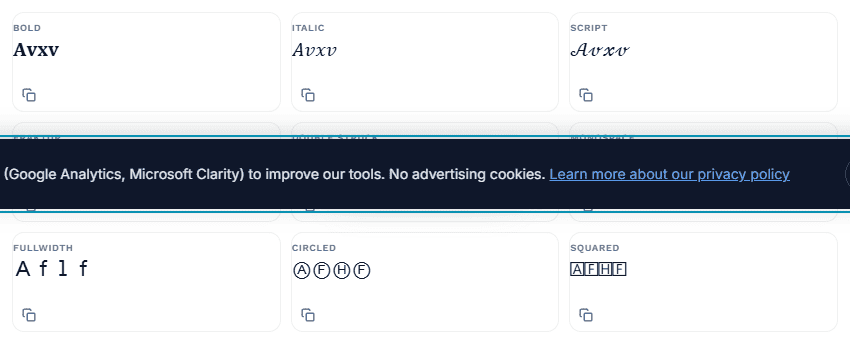
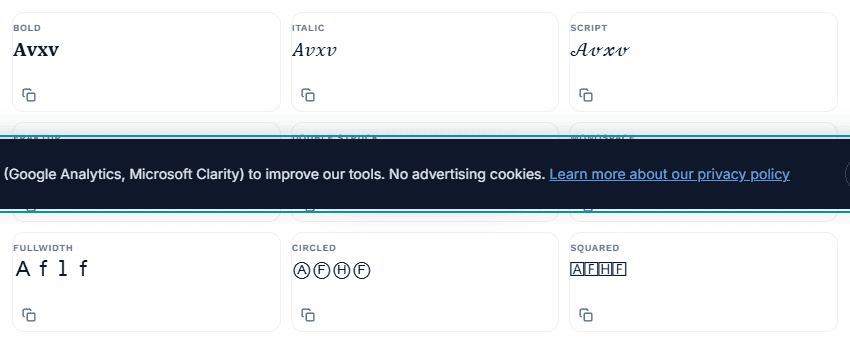
Each style appears as a card in the grid showing a preview of your text in that style. Click the copy button on any card to copy that specific style to your clipboard. A checkmark confirmation appears for 1.5 seconds to confirm the copy was successful.
- Click the copy icon on any style card
- Checkmark appears for 1.5 seconds
- Paste anywhere: Instagram, WhatsApp, Discord, etc.
Copy All Styles at Once
Use the Copy All Styles button to copy every generated style to your clipboard in one click. Each style is formatted as "Style Name: Converted Text" separated by new lines. This is useful when you want to browse all options offline or share them with someone.
- One click copies all 350+ styles
- Formatted as "Name: Text" per line
- Paste into any text editor to browse
Test on Your Target Platform
Before posting publicly, paste the generated text into your target platform's compose field or profile editor. Verify it renders correctly. What looks perfect in the generator may look different on the platform due to font rendering or Unicode normalization.
- Paste into the platform's text field
- Check for box characters or broken rendering
- Switch styles if needed (Bold is safest)
The Zalgo category has an additional control: intensity buttons (Light, Medium, Heavy). These control how many combining diacritical marks are stacked on each letter. Light is subtle, Medium is noticeable, and Heavy creates maximum chaos. Switch between them to see the effect change in real time.
Best Use Cases by Platform
Platform-specific recommendations for the best fancy text styles.
Bios (150 char limit): Use bold, script, or symbol-wrapped styles. Brackets, corners, and angles look clean. Keep wrapped styles short. For an aesthetic look, pair script with flower or white-square wrappers. The decorators add extra characters.
Captions: Bold and italic work best. Avoid zalgo in captions. It disrupts readability.
Comments: Any style works. Script and fraktur get attention.
Group names (25 char limit): Wrapped styles with Stars, Hearts, or Diamonds look great. Keep names very short. The wrappers eat into the limit fast.
Status: Bold and script work well for status updates.
Messages: Use fancy text sparingly. Too much makes messages hard to read.
Discord
Usernames: Bold, monospace, and fullwidth styles are popular in gaming communities.
Nicknames: Script and fraktur for a unique look that stands out in voice channels.
Messages: Zalgo is extremely popular in Discord meme culture. Use Heavy intensity for maximum effect.
TikTok
Usernames: Bold and script styles work well and render reliably on mobile.
Captions: Bold for emphasis, script for aesthetic posts. Keep it minimal.
Comments: Any style works. Zalgo gets attention in comment sections.
Twitter / X
Display name: Bold or script styles make your name stand out in feeds.
Bio (160 char limit): Symbol-wrapped styles with brackets or stars are popular. Monospace is also a distinctive choice.
Tweets: Use bold for emphasis. Avoid heavy zalgo.
Email Signatures
Professional: Bold or Monospace for names and titles. Keep it clean and readable.
Creative: Script for artistic signatures. Test in Gmail, Outlook, and Apple Mail before using.
Warning: Some email clients strip Unicode. Always send a test email first.
Gaming Usernames
Fancy text styles that work best for gaming names and clan tags.
Gaming is one of the most popular use cases for fancy text. Players use Unicode characters to create unique usernames, clan tags, and display names that stand out in lobbies, leaderboards, and chat.
PUBG / BGMI
Best styles: Bold, Monospace, Fullwidth. These render reliably in the game's chat and name display.
Avoid: Zalgo. PUBG's chat filter may flag combining diacritical marks as spam.
Tip: Keep names under 14 characters (PUBG's limit).
Free Fire
Best styles: Bold, Sans Bold, Monospace, Circled for stylish nicknames. Free Fire has good Unicode support on mobile.
Popular: Circled names and Bold are trending in Free Fire communities.
Tip: Combine fancy text with the game's built-in symbol options.
Roblox
Best styles: Bold, Script, Fullwidth. Roblox has moderate Unicode support.
Note: Roblox filters many Unicode characters in chat. Display names have better support.
Tip: Test your name in a private server before using it publicly.
Fortnite / Valorant / CoD
Best styles: Bold, Monospace, Fullwidth. These render well in game UIs across PC and console.
Clan tags: Fraktur and Double Struck are popular for clan tags.
Tip: Console games may have stricter Unicode limits than PC versions.
Steam / Epic Games
Best styles: Fraktur, Double Struck, Bold. Steam has excellent Unicode support.
Display names: Fullwidth and Script are popular for unique display names.
Tip: Steam allows longer display names than most platforms.
League of Legends
Best styles: Bold, Circled, Monospace. These stand out in game chat and loading screens.
Note: Riot Games has strict name policies. Avoid offensive characters or excessive zalgo.
Tip: Circled and Bold styles are the most commonly seen in LoL communities.
Many games have anti-cheat or chat filters that flag unusual Unicode characters. If your name gets reset or you receive a warning, switch to Bold or Monospace. These are the safest choices for gaming. Zalgo and combining marks are the most likely to trigger filters.
Best Practices
Tips for choosing and using fancy text effectively.
Match Style to Context
Use bold and italic for professional contexts like email signatures, LinkedIn bios, and work display names. Use script and fraktur for artistic contexts like wedding invitations, creative portfolios, and personal branding. Use zalgo and glitch for informal contexts like memes, gaming, and social media jokes.
Test Before Posting
Always test your fancy text on the target platform before posting publicly. Copy the generated text, paste it into the platform's compose field or profile editor, and verify it renders correctly. What looks perfect in the generator may look different on the platform.
Keep It Readable
Fancy text should enhance readability, not destroy it. Bold and italic are always readable. Script and fraktur are readable at larger sizes but may blur at small sizes. Zalgo is intentionally hard to read. Use it only when that is the point.
Consider Character Limits
Many platforms have strict character limits. Fancy text characters count as one character each, but wrapped styles add extra characters for the decorators. Instagram bios: 150 characters. Twitter bios: 160 characters. WhatsApp group names: 25 characters.
Troubleshooting
Common issues with fancy text and how to fix them.
Characters Show as Boxes or Squares
Cause: The device or platform does not support the Unicode block used by that style. This is most common with Script, Fraktur, and Double Struck on older Android devices or Windows systems without updated Unicode support.
Fix: Switch to a Bold or Italic style, which has the widest compatibility across all devices and platforms.
Fancy Text Looks Different After Pasting
Cause: Some platforms normalize Unicode characters or apply their own font rendering. The platform's font may not have glyphs for certain Unicode code points, causing fallback rendering.
Fix: Test in the target platform's compose field before posting. Bold and italic are the most stable across platforms.
Zalgo Text Is Unreadable
Cause: Too many combining diacritical marks stacked on each character. Heavy zalgo intentionally creates unreadable text.
Fix: Reduce the zalgo intensity from Heavy to Medium or Light using the intensity buttons.
Copy Button Does Not Work
Cause: The browser does not support the Clipboard API, or the page is not served over HTTPS.
Fix: Use a modern browser (Chrome 66+, Firefox 63+, Safari 13.1+, Edge 79+). Ensure the page is loaded over HTTPS.
Style Grid Is Empty After Typing
Cause: The active category filter may not have any styles matching your input, or the input field may contain only whitespace.
Fix: Click the "All" category button to show all styles. Make sure the input field contains actual text.
Style Comparison
Compare fancy text styles to choose the right one for your needs.
| Style | Best For | Compatibility | Readability |
|---|---|---|---|
| Bold | Usernames, emphasis | Excellent | High |
| Italic | Names, emphasis | Excellent | High |
| Script | Signatures, artistic | Good | Moderate |
| Fraktur | Gothic themes, clans | Good | Moderate |
| Monospace | Code aesthetic, gaming | Excellent | High |
| Double Struck | Academic, math themes | Good | Moderate |
| Fullwidth | Aesthetic, spaced look | Good | Moderate |
| Wrapped (Symbols) | Bios, group names | Good | High |
| Zalgo | Memes, jokes, chaos | Varies | Low |
Advanced Techniques
Pro-level tricks for creating unique fancy text combinations.
Mix Base Styles with Wrappers
Combine a base Unicode style (like Bold or Script) with a wrap decorator (like Stars or Brackets) to create layered effects. For example, Bold Stars wraps bold text in star symbols, while Fraktur Brackets combines fraktur text with bracket decorators.
Use Combining Marks Strategically
Combining marks like strikethrough (U+0336) and underline (U+0332) can be applied to any base style. Try Bold + Underline for emphasis, or Italic + Strikethrough for a crossed-out aesthetic.
Zalgo Intensity Tuning
Use Light zalgo for subtle glitch effects in professional-adjacent contexts (creative portfolios, gaming profiles). Medium for social media posts where you want attention. Heavy for memes, jokes, and maximum chaos in Discord.
Platform-Specific Optimization
For Instagram bios, use short wrapped styles (3-5 letters) to stay within the 150-character limit. For WhatsApp group names, use Circled or Bold without wrappers to maximize the 25-character limit.
The most effective fancy text is used sparingly. A single word in bold or script draws attention. An entire paragraph in zalgo destroys readability. Use fancy text for names, headers, and short phrases. Keep body text in plain format.
Accessibility and Screen Readers
How fancy text affects screen readers, SEO, and users with disabilities.
Screen Reader Compatibility
Most screen readers can read basic fancy text (Bold, Italic, Sans, Monospace) because the Unicode standard assigns them the same character names. However, complex styles like Script, Fraktur, and Zalgo may be read as individual characters or skipped entirely.
SEO Implications
Search engines can index fancy text, but it will not rank for the same keywords as plain text. Google treats Unicode characters as their plain-text equivalents in most cases. Use fancy text for visual emphasis, not for content you want to rank.
When to Avoid Fancy Text
Avoid fancy text for critical information like phone numbers, addresses, URLs, and error messages. These must be readable by everyone, including screen readers, search engines, and users with older devices.
Inclusive Design
If you use fancy text in a public profile or bio, also provide a plain-text version in your profile description or linked website. This ensures that users who cannot render your fancy text can still understand your name and message.
If your audience includes people who use assistive technology, keep fancy text to a minimum. Bold and Monospace are the most screen-reader-friendly fancy styles. Zalgo, Script, and Fraktur are the least accessible.
Frequently Asked Questions
Common questions about fancy text and Unicode styling.
Yes. Fancy text works in Instagram bios, captions, comments, and stories. Instagram supports most Unicode characters including bold, italic, script, fraktur, and wrapped styles. For an aesthetic look, pick script, cursive, or symbol-wrapped styles. Keep your bio under the 150-character limit.
Yes. Fancy text works in WhatsApp messages, group names, and status updates. The generator includes a dedicated WhatsApp category with wrapped styles. For group names, keep under the 25-character limit.
No. Fancy text uses Unicode characters, not custom fonts. It works everywhere without installing anything. Special fonts require installation on the user's device. Fancy text characters exist in every modern operating system.
Older devices may not support all Unicode characters. Script, fraktur, double struck, and combining mark styles require Unicode 6.0+ support. Bold, italic, and monospace have the widest compatibility.
For stylish Free Fire and PUBG nicknames, Bold, Sans Bold, Monospace, and Circled render most reliably in game UIs. Keep Free Fire names under 12 characters and PUBG names under 14. Avoid Zalgo in games.
Most screen readers can read basic fancy text (Bold, Italic, Sans, Monospace). Complex styles like Script, Fraktur, and Zalgo may be read as individual characters or skipped entirely.
Yes. Unicode characters are part of the universal standard and are not copyrighted or trademarked. You can use fancy text in business names, logos, merchandise, and marketing materials. For tattoos, confirm the final spelling in plain text with your artist; for logos, test the style at small sizes before publishing.
Yes. Fraktur and blackletter styles give that old English look for tattoo mockups, logos, clan tags, and aesthetic bios. They are plain Unicode text, so they paste anywhere without installing fonts. Test the style on your target device first — script and fraktur need updated Unicode support, and always confirm final tattoo spelling in plain text with your artist.
Zalgo text uses combining diacritical marks stacked above and below each letter to create a glitchy, chaotic effect. It comes in three intensities: Light, Medium, and Heavy. Use it for memes and jokes.
Tap the copy button on any style card. The text is copied to your clipboard. Then tap and hold in any text field and select Paste. The Clipboard API works on all modern mobile browsers.
They solve the same job — restyling plain text with copy and paste — but a font changer that installs font files only works where that font is installed, while fancy text uses Unicode characters that render anywhere. If you only need plain case changes without Unicode styling, use the AFFLIGO Case Converter instead.
Key Takeaways
- Fancy text uses Unicode characters, not special fonts. It works everywhere but may not be readable by screen readers.
- Not all styles render on every device. Test on your target platform before using publicly.
- Many platforms have character limits. Use fancy text for headings and usernames, not for long paragraphs.
I generated "hello" across all categories: Bold, Italic, and Monospace rendered in WhatsApp, an Instagram bio, and Discord; Zalgo Heavy got stripped by one game's chat filter — matching the gaming warning. The Gaming tab's flip and mirror styles pasted correctly into a test username field.
Sources: Unicode Standard character charts (unicode.org), Wikipedia Unicode blocks, platform text rendering checked Sept 2026.